Introduction
Android smartphones have advanced significantly in camera technology, but many users still find iPhone cameras superior in terms of image processing, color accuracy, and overall quality. Fortunately, several apps can enhance Android camera performance to produce iPhone-like results. This article explores the best apps and techniques to improve your Android camera quality.
iPhones are known for their excellent camera quality due to superior software optimization, smart HDR, and deep fusion technology. While Android hardware can match or even surpass iPhones, Apple’s image processing algorithms give iPhones an edge. By using the right apps, you can replicate similar results on Android.
Best Apps to Improve Android Camera Quality
Google Camera (GCam) Google Camera, commonly known as GCam, is a highly optimized camera app originally developed for Google Pixel devices. It brings features such as HDR+, Night Sight, and Portrait Mode to many Android phones, significantly improving image quality. Find a compatible GCam APK for your device. Enable ‘Install from Unknown Sources’ in settings. Install the APK and configure settings for optimal performance.
Adobe Lightroom Adobe Lightroom is an advanced photo editing app that helps enhance images with professional tools. You can adjust brightness, contrast, sharpness, and use AI-based enhancements to achieve iPhone-like quality. Snapseed Developed by Google, Snapseed provides powerful editing tools such as HDR Scape, Tune Image, and Detail Enhancement. It allows users to fine-tune their photos and achieve better clarity and color balance.
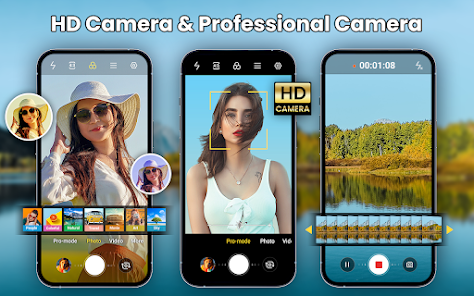
Open Camera Open Camera is a free camera app with manual controls similar to DSLR settings. It offers features like exposure control, white balance adjustments, and high dynamic range (HDR) modes to refine image quality. ProShot ProShot provides professional-grade camera controls, including shutter speed, ISO adjustments, and RAW format support. These features help Android users capture high-quality images similar to iPhones. Filmic Pro Filmic Pro is a premium camera app widely used by professional videographers. It enhances video recording with cinematic quality, better dynamic range, and manual focus controls.
Tips to Improve Android Camera Quality
Use Manual Mode Most Android devices come with a Pro or Manual Mode that allows you to adjust settings such as shutter speed, ISO, and focus manually for better image quality. Enable HDR Mode High Dynamic Range (HDR) mode balances highlights and shadows, making photos appear more natural and vibrant. Improve Lighting Conditions Good lighting dramatically enhances photo quality. Try to shoot in well-lit environments or use external lighting sources for better results. Use Third-Party Lenses Clip-on lenses can improve zoom, macro, and wide-angle photography, making your Android camera more versatile.
Download Config File
Edit Photos Professionally Post-processing is key to achieving iPhone-like image quality. Apps like Lightroom and Snapseed allow you to fine-tune color, contrast, and sharpness. Keep Your Camera Lens Clean A dirty lens can cause blurry images. Regularly clean the camera lens with a microfiber cloth to ensure clarity. Use AI-Based Camera Features Many newer Android phones come with AI-powered enhancements that automatically optimize images for better clarity and detail. Adjust White Balance and Exposure Manually adjusting white balance and exposure settings can help in capturing more accurate colors and brightness.
While Android cameras have improved significantly, software optimization plays a crucial role in image quality. By using the right apps and techniques, you can enhance your Android camera to produce iPhone-quality images. Whether through GCam, Adobe Lightroom, or professional editing, these methods can transform your smartphone photography experience.